
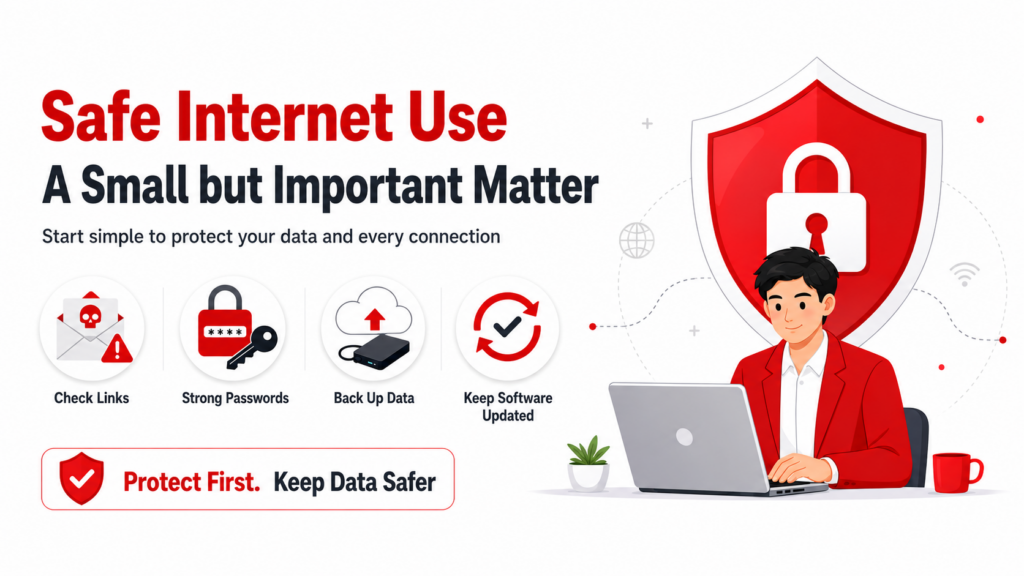
Start Using the Internet Safely and Feel Confident Every Time You Connect
How important is safe internet use?
The online world is like a wallet we carry every day. Inside it, we may have cash, credit cards, and an ID card. If we accidentally leave it unattended, someone else could easily take it and use it.
The internet works in the same way. If there is no protection against cyber threats, important information can be stolen in the blink of an eye.
Creating safety when using technology is therefore something every internet user should care about, whether you are an individual or an organisation.
In this article, SOSECURE Cybersecurity Expert will explain why safe IT usage matters and share practical ways to prevent cyber threats.
Why Safe Internet Use Matters More Than Ever
The internet has grown rapidly and become an important part of everyday life.
In the past, people may have used the internet only to check email or search for some information, while still relying on traditional ways of living, such as writing notes, using landline phones, or handling tasks in person.
Today, almost everyone uses the internet fully, whether for work, learning, or daily life. Because it is convenient, fast, and easy to access, internet use is no longer just an option. It has become a necessity.
That is why safe technology use must be taken seriously, especially to protect important personal and organisational data from cyber threats that can happen at any time.
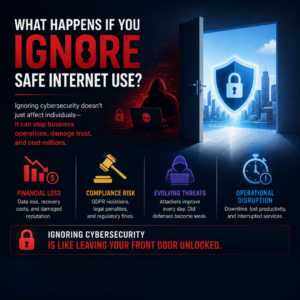
What Happens If You Ignore Safe Internet Use?
Safe internet use is an important shield for both general users and organisations.
When people lack caution in using technology, the consequences may be much bigger than expected. Cyberattacks today do not target only individuals. They also target businesses across many industries, from energy and transportation to retail and manufacturing.
Because digital systems have become the core of business operations, ignoring cybersecurity can create wide-ranging damage, such as:
Financial Cost and Reputation Damage
An organisation hit by a cyberattack may lose important data, lose customer trust, and face major expenses to recover its systems.
Risk of Regulatory Violations
Many industries must follow strict data security laws and requirements, such as GDPR. Failure to comply may lead to fines and legal consequences.
Falling Behind Evolving Threats
Cybercriminals continuously develop new techniques and tools. If protective measures are not updated, the risk of being compromised increases every day.
Operational Disruption
Cyberattacks can cause critical systems to go down temporarily or stop working entirely. This can lead to lost business opportunities, delays, and disruption to service continuity.
Ignoring technology safety is like leaving the door open to a house full of valuable assets and hoping no one walks in. In the cyber world, risk can happen at any second.
A small moment of neglect can lead to organisation-wide damage.
Prevention is better than recovery with SOSECURE.
Common Cyber Threats Caused by Ignoring Safe Internet Use
The convenience of technology always comes with risk. It is like a double-edged sword: the more you use it, the more risk increases.
This risk is known as a “cyber threat”. It happens when malicious actors exploit weaknesses in technology use to attack users, causing damage to personal data and organisational systems.
Here are common cybersecurity threats you should know, so you can strengthen your protection and reduce potential impact.
Malware
Malware is malicious software, such as trojans, spyware, or viruses. It is designed to access important information without permission or disrupt system operations.
Ransomware
Ransomware is an attack where malicious actors lock or encrypt data and demand payment to unlock the system. It can cause both individuals and organisations to lose data and time.
Phishing and Social Engineering
Phishing and social engineering are deception techniques used to trick users into revealing sensitive information, such as passwords or credit card details, through emails, fake websites, or dangerous attachments.
DDoS Attacks
A DDoS attack creates a large number of fake requests to overwhelm a server, causing users to be unable to access the system. This affects operations and services.
Insider Threats
Insider threats are risks that come from people inside the organisation. They may use their access rights to damage systems or steal information.
How Should You Prioritise Safe Internet Use?
Now that you understand the risks of ignoring technology safety and the common types of cyber threats, you may already see how dangerous these issues can be.
SOSECURE Cybersecurity Expert has gathered practical tips to help you protect yourself from cyber threats and use the online world with greater confidence.
1. Be a Careful User and Do Not Fall for Scammers
Malicious actors or hackers often try to trick users through phone calls, emails, or social media messages to steal personal information and passwords.
The best approach to safe IT usage is to pause, ask questions, and think carefully before giving out any information.
Do not immediately trust stories that look convincing but may be fake. Warning signs include urgent messages, requests for passwords, or instructions to click strange links.
Recognising these warning signs can help you stay alert and reduce the risk of becoming a victim of data theft.
2. Check Emails and Links Carefully
Before clicking links or downloading any files, always check the sender and the website URL.
If something seems suspicious, such as an email address that does not match the organisation or spelling mistakes in the message, stop and verify the information before responding.
This is an important habit for safe technology use.
3. Use Secure Passwords and Manage Passphrases
Complex and unique passwords for each account help reduce the risk of being hacked.
You should use passphrases or a password manager to create and store passwords securely.
Choosing words that are easy for you to remember but hard for others to guess can also improve your system security.
4. Back Up Data Regularly
Backing up important data to both cloud storage and an external drive helps protect against unexpected damage, whether from ransomware, system failure, or other types of cyberattacks.
Regular backups allow you to recover systems and data in time when something goes wrong.
5. Be Careful When Connecting Accounts and Applications
Many user accounts are connected to other applications for convenience. However, these connections can become a channel for data leakage.
If a connection is not necessary, it should be removed to reduce the risk of unauthorised access.
6. Regularly Check Logged-In Devices
You should regularly check which devices are logged in to your account.
If you find an unfamiliar device, remove its access rights and change your password immediately.
Logging out of devices you no longer use is another safe IT practice that helps prevent access by malicious actors.
7. Keep Software and Applications Updated
Software updates help close vulnerabilities and fix bugs that hackers may use to attack your system.
Devices with the latest updates are usually more secure and more stable.
You should enable update notifications when new versions are available to maintain continuous safety when using technology.